Voicemail Questions and Answers
Find answers to common questions about voicemail greetings,
professional voicemail messages and business phone recordings.
How do I set up a voicemail greeting on my phone?
Setting up a voicemail greeting on your phone is usually a simple
process. Go to your phone app, tap the voicemail tab or hold down
the number 1, and follow the voice prompts. You’ll be asked to
record your personal greeting—just speak clearly, say your name or
business, and include a brief message asking callers to leave their
details. Once recorded, you can review and save it. The steps may
vary slightly depending on whether you’re using an iPhone, Android,
or a specific network provider.
What should I say in a professional voicemail message?
A professional voicemail message should be clear, concise, and
polite. Start by stating your name or the name of your business,
mention that you’re currently unavailable, and ask the caller to
leave a message with their name and number. You might say something
like: “Hello, this is [Your Name] at [Your Business]. I’m sorry I
can’t take your call right now. Please leave your name, number, and
a brief message, and I’ll get back to you as soon as I can. Thank
you!”
Can I record a voicemail greeting without calling my voicemail?
Yes, many modern smartphones and voicemail apps let you record your
greeting directly without dialing your voicemail. On iPhones, go to
Phone > Voicemail > Greeting. On Android phones, voicemail
settings are often found under the Phone app’s settings menu. You
can also use third-party apps or visual voicemail services provided
by your network to record and manage greetings.
What makes a good voicemail greeting?
A good voicemail greeting is clear, friendly, and informative. It
should include your name (or business name), a polite explanation
that you're unavailable, and instructions for leaving a message.
For businesses, adding a return time or alternative contact method
can also be helpful. Keep it under 30 seconds to ensure callers
don’t hang up before leaving a message.
How long should a voicemail message be?
A voicemail greeting should ideally be between 20 to 30 seconds
long. This is long enough to give the necessary information without
boring or frustrating the caller. Avoid rambling or overloading it
with unnecessary details. For the best experience, aim for clear
and confident delivery in one short take.
What is the best voicemail script for small businesses?
For small businesses, a professional yet warm voicemail script
works best. Try something like: “Thank you for calling [Business
Name]. We’re currently unavailable to take your call, but please
leave your name, number, and a message, and someone will get back
to you shortly. For more information, visit [website URL]. Have a
great day!” Adjust the message based on your industry and tone of
brand.
Can I use background music in my voicemail greeting?
Yes, you can use background music in your voicemail greeting, but
it should be subtle and not overpower your voice. Choose
royalty-free music if you’re using it for business purposes to
avoid copyright issues. Make sure the music matches your brand's
tone—calm and professional for formal businesses, or upbeat and
friendly for more casual brands.
How can I make my voicemail more engaging?
To make your voicemail more engaging, use a friendly tone, keep it
short, and speak naturally. Personalizing your greeting with your
name or a quick note of appreciation—like “Thanks for calling!”—
can make a big difference. If it’s for a business, adding a quick
promotional line like “Check out our website for the latest
updates!” can also help.
What’s the difference between a personal and business voicemail greeting?
A personal voicemail greeting is usually casual and just includes
your name and a short message. A business voicemail greeting is
more formal, includes your company name, and may also give
instructions or alternative contact options. Business greetings
need to reflect professionalism, while personal ones can be more
relaxed and conversational.
Do voicemail greetings help with customer service?
Yes, voicemail greetings play a key role in customer service. A
professional, helpful voicemail can reassure callers that they’ve
reached the right place and their message will be returned. It
creates a good first impression and shows that your business values
communication—even when you can’t answer the phone directly.


Voicemail Recording Questions
Everything you need to know about ordering professional voicemail
recordings for your business.
How do I book a professional voicemail recording?
Booking a professional voicemail recording is usually quick and
easy. Most voice-over services, like Spencer Cork Voice Over
Services, offer an online form or email contact. You provide your
script, choose a voice style (male, female, friendly, formal,
etc.), and specify the file format you need. Once confirmed,
you’ll receive a high-quality audio file ready to upload to your
phone or voicemail system.
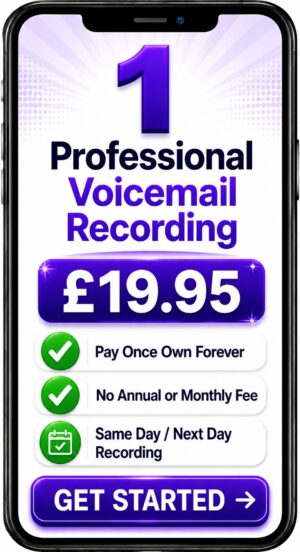
How much does a professional voicemail recording cost?
The cost of a professional voicemail recording depends on the
length of the script, the voice talent you choose, and how quickly
you need it. Prices typically start from as little as £25–£50 for
a short, standard message. More complex or multiple greetings may
cost more, especially if you want extras like background music or
multiple languages.
How long does it take to receive my voicemail recording?
Most professional voice-over services deliver voicemail recordings
within 24 to 72 hours, depending on their schedule and the
complexity of your request. Many companies also offer express or
same-day delivery for an additional fee if you need it urgently.
Can I choose the voice for my voicemail message?
Yes, most professional voicemail recording services allow you to
choose the voice artist. You’ll often find voice samples on their
website—male, female, warm, friendly, serious, or corporate. Some
services, like Spencer Cork, also offer accent options or
multilingual voices to suit your brand or audience.
Do I need to write my own voicemail script?
You can write your own voicemail script, but many professional
services are happy to help. Some offer free advice or script editing
to make your message sound more natural and effective. Others can
write it from scratch for you if you just tell them what you want
the message to say.
What file format will the voicemail be delivered in?
Most professional voicemail recordings are delivered as
high-quality MP3 or WAV files, which are compatible with most mobile
phones, voicemail systems, and PBX setups. If you need a specific
format (like .aiff or GSM), just let the voice-over service know
when you place your order.
Can I get voicemail recordings for multiple departments or staff?
Yes, professional voice-over services can create custom voicemail
messages for different departments, extensions, or staff members.
This is especially useful for businesses with a switchboard or
auto-attendant system. You can also order on-hold messages and IVR
recordings for a consistent brand voice.
Will the voice-over artist re-record if I need changes?
Most professional voicemail services allow one or two rounds of
revisions for small script changes, pronunciation fixes, or tone
adjustments. It’s important to check this when you book, as major
rewrites or extra takes may come at an additional cost.
Can I add background music to my voicemail?
Yes, many professional voicemail services offer royalty-free
background music options that can be mixed with your message. This
adds a polished, branded feel to your voicemail. Just be sure the
music doesn’t overpower the voice and is appropriate for your
business style.
Why should I hire a professional voice-over for voicemail?
Hiring a professional voice-over artist for voicemail ensures your
message is clear, confident, and gives the right impression to
callers. A professional voice can build trust, make your business
sound more established, and improve the caller experience—especially
for first-time customers or clients.